Disclaimer: LLM Agents wrote the code and the bugs. The ideas and most of the wording in this blog series are mine, but edited by LLMs because I am an engineer, not a copywriter. I’ve reviewed it to ensure it sounds like me, but if you spot weird phrasing, blame the robot.
Prefer the short version? Start here: I Built a Family Planner We Actually Use (and It Costs £0/month)
I’ve built software for years and I still forget that I am not the user.
I built the first version of the planner for myself. It was functional and dense. Then I handed it to my partner and son.
They didn’t care about the architecture. They hesitated. They tapped things that weren’t buttons. I watched them struggle with the forms and realized that if adding an event takes more than five seconds, nobody will do it.
That session shifted the focus from displaying data to reducing friction.
Designing for One Thumb
Most usage happens in the kitchen, usually while holding a bag of shopping.
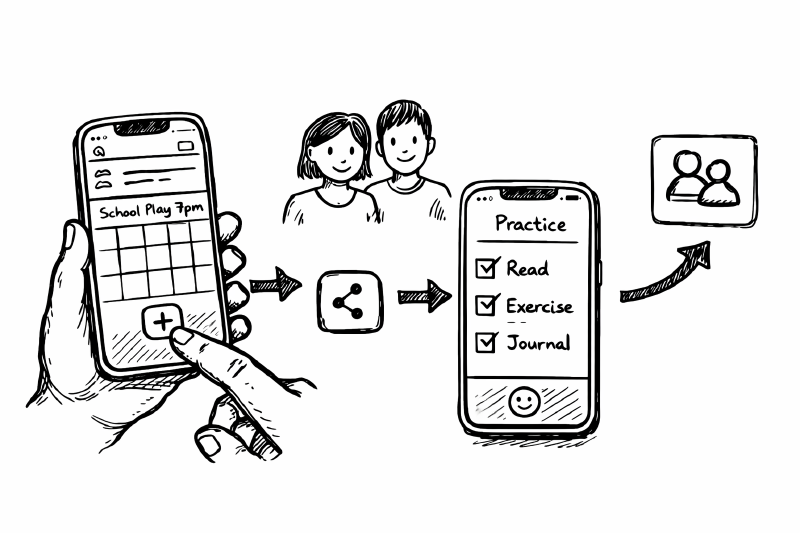
The original “Edit” modal was a standard form. This was too slow. We moved to Inline Add. You tap a day, type “Pizza”, and hit enter. Complex forms stop people from using the tool.

Inline add keeps event creation quick.
I also built a Read-Only view so I could check the schedule without fear of dragging an event into the trash while scrolling. This makes the app feel safe when you aren’t trying to change anything.

Read-only mode is often the difference between “interesting” and “used”.
The Practice Tab (Atomic Habits)
Once the planner was sticky I wanted to tackle a secondary goal: habits.
I finally read Atomic Habits by James Clear this year. The core concept resonated with me: you don’t rise to the level of your goals, you fall to the level of your systems. Small, repeated actions matter more than heroic bursts of effort.
I wanted to incorporate that into family life without the annoyance. I dislike the “streak” gamification found in most apps because it inevitably leads to guilt.
I built a “Practice” tab with specific constraints in a nested AGENTS.md:
- No streaks
- No failure states
- Just dots
It tracks sessions. If you practice, you get a dot. If you don’t, nothing happens.

A family-wide view: days practiced per person, per skill, this week.

One-tap logging, optional details.
Technically this uses a separate KV document (practice:v1) to avoid polluting the WeekDoc. This architectural choice keeps the habit data independent from the calendar data.
The “Phone PR” Workflow
This phase of development was less about architecture and more about rapid iteration.
I used the “phone workflow” heavily. I’d spot a friction point during breakfast, open a PR via Codex Web on my phone, review the diff, and merge it. Cloudflare deployed it before I finished my coffee.
This is where the “vibe coding” approach works best. Fixing a small CSS padding issue or a confusing button label shouldn’t require opening a laptop.
The app only started working when I stopped designing for an engineer and started designing for a family. Inline Add removes the admin friction, and the Practice tab provides a gentle nudge without the guilt trip.
Next: Part 3: The Stuff You Notice When It Breaks: Term Dates and Bin Days