Disclaimer: LLM Agents wrote the code and the bugs. The ideas and most of the wording in this blog series are mine, but edited by LLMs because I am an engineer, not a copywriter. I’ve reviewed it to ensure it sounds like me, but if you spot weird phrasing, blame the robot.
Prefer the short version? Start here: I Built a Family Planner We Actually Use (and It Costs £0/month)
The planner is at its best when you can capture something in three seconds.
You’re in the kitchen, you remember “Parents’ Evening next Thursday”, and you need to get it out of your head. You do not want to open a calendar, select a date, scroll to a time, and fill out a form.
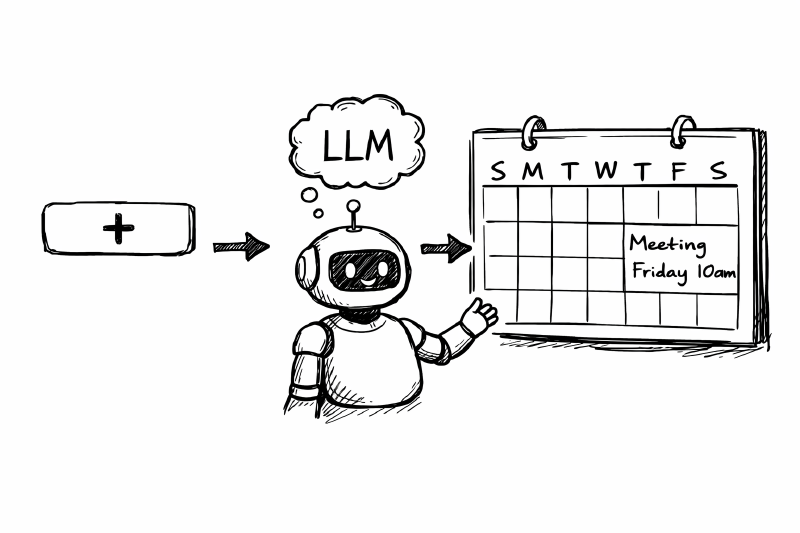
I wanted a “Universal Add” button. One text box. Type whatever and let the machine figure it out.
This introduces risk. If you let an LLM write directly to your database based on a vague user prompt, you invite data corruption.
This is how I built a smart input with a paranoid “Trust Layer”.
The Architecture of Universal Add
The flow is strict:
- User Input: “Gym at 6pm on Tuesday”.
- Parser (Gemini Flash): Converts text to a JSON payload.
- The Review: The UI shows you what it thinks you meant.
- Confirmation: You click “Save”.
Nothing gets saved without a human confirmation.

Capture first. Sort out details next.
I use Google Gemini Flash Lite (via Cloudflare Pages Functions) as a parser. I don’t use it as a chatbot or an agent. It has a single job: take string, return JSON.
AI Output is Untrusted Input
In functions/api/universal-add/parse.ts, I treat the response from Gemini like I would treat a user input from the public internet: with extreme suspicion.
It passes through strict validation logic. Does the date exist? Is the ISO format correct? If the LLM hallucinates a 13th month or a time of “25:00”, the API throws an error. The browser never sees the API keys; the server handles the handshake.
This costs nothing because the volume for a family app is within free tier limits, but the safeguards make it reliable.
Backups
When a side project contains your actual life schedule, “it’s just a KV store” stops being funny.
I built a blunt, heavy-handed backup system.
The Export dumps the entire KV namespace to a JSON file. The Import restores from JSON but defaults to safe-mode (no overwrites).
If you want to overwrite existing data you have to toggle a switch and confirm it. A backup you haven’t restored is just a wish, so I tested the restore flow before I let the family start adding real data.

Download a snapshot, import it back with explicit overwrite protection.
The “Admin” Gate
To prevent unauthorized access or accidental restores, the backup API checks the Cloudflare Access email header against an allowlist in functions/_lib/backupAuth.ts.
It’s a simple check that prevents accidental history rewrites.
Ownership
This project cost me £0 in hosting. It uses “AI”, but not in a way that takes control away from me.
I used the Agents to write the boilerplate, the parsers, and the React components. But I kept the “Senior Engineer” hat on. I defined the data model (AGENTS.md), I set the safety rules, and I determined the architecture.
The result is a tool that feels incredibly personal because it fits our life exactly. And because I own the code, it will grow as we do.
If you’re thinking of “vibe coding” an app: Write your rules first. The AI is the engine, but you need to be the steering wheel.
References
- Google Gemini Flash Lite: https://deepmind.google/models/gemini/flash-lite/
- Cloudflare Pages: https://pages.cloudflare.com/
- OpenAI Codex: https://openai.com/codex/
- AGENTS.md: https://agents.md/