Disclaimer: LLM Agents wrote the code and the bugs. The ideas and most of the wording in this blog series are mine, but edited by LLMs because I am an engineer, not a copywriter. I’ve reviewed it to ensure it sounds like me, but if you spot weird phrasing, blame the robot.
Over the Christmas break I built a simple weekly family planner for my partner, my son, and me.
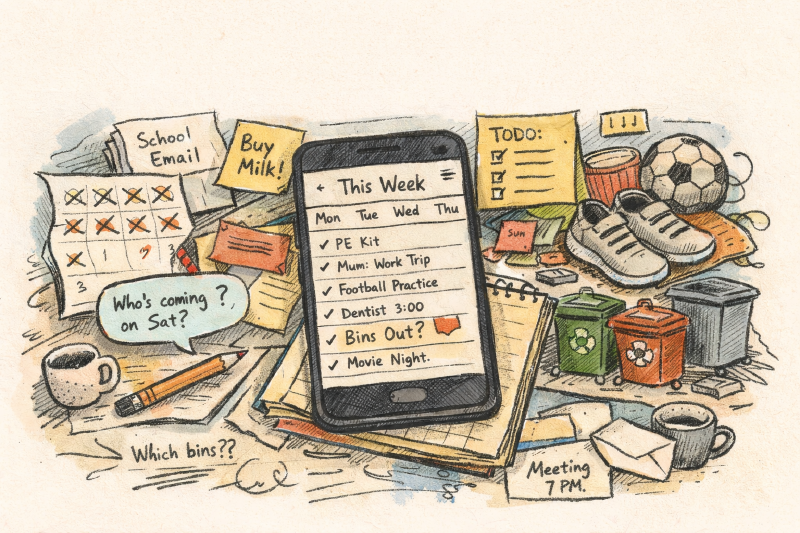
I wanted to solve for the basics that kept slipping: PE kit, clubs, bin day changes, “what are we doing next Saturday?”, and the scavenger hunt through calendars, WhatsApp threads, and school emails.
Family life is a messy distributed system that doesn’t accept incident tickets.
What it does
It’s a mobile-first weekly view you can scan quickly:
- what’s on this week
- what’s coming up soon
- quick ways to add things without filling in a form
My goal wassn’t “perfect scheduling”, but just to reduce the mental load: if someone asks “what’s on this week?”, the answer becomes “check the planner”.

The whole point: a week you can understand in ten seconds.
Iteration with users was what got it useful
I built the first version for me, and it worked, but then I handed it to my family and watched them use it.
They didn’t care about my neat architecture or costs,they wanted it fast, reliable and easy to use, not another chore to do:
- if adding something takes more than a few seconds, it won’t happen
- if it feels like you can “break it”, people won’t explore
- the best features are usually the ones that remove friction, not the ones that add power
That feedback loop shaped the app better than I came up with on first iterations.
How I used LLM agents (without making a mess)
I did use LLM agents heavily, but not as “magic autopilot”.
My workflow was more like:
- write the rules first (data shape, safety constraints, “what we will not do”)
- treat the agent like a very fast junior developer (literal, eager, needs guardrails)
- ship small changes and actually review them
- test with real people, then iterate
The “rules first” piece matters. It’s the difference between “fast” and “fast, but you still own it afterwards”.
If you’re curious about this approach, AGENTS.md is the general idea: https://agents.md/
£0/month purposefully
I wanted something we owned, without a subscription, and without handing our family schedule to a random SaaS vendor.
This runs on Cloudflare’s free tier (for a small household, the numbers are tiny):
- Cloudflare Pages: https://pages.cloudflare.com/
- Cloudflare Workers: https://workers.cloudflare.com/
Want the technical version?
I wrote the full technical series separately so this post could stay readable. If you do want the deeper dive:
- Part 1 (WeekDoc rule + foundations): https://michaeldugmore.com/p/family-planner-vibe-coding-rules-and-weekdoc/
- Part 2 (mobile UX + practice): https://michaeldugmore.com/p/family-planner-vibe-coding-ux-and-practice/
- Part 3 (integrations + notifications): https://michaeldugmore.com/p/family-planner-vibe-coding-integrations-and-notifications/
- Part 4 (universal add + safety nets): https://michaeldugmore.com/p/family-planner-vibe-coding-universal-add-and-safety-nets/
References
- OpenAI Codex: https://openai.com/codex/
- Google Gemini Flash Lite (used purely as a parser): https://deepmind.google/models/gemini/flash-lite/